Access Restrictions on Suppliers
In this guide we will cover:
- Setting Supplier Permission Type
- Setting Access Control on Suppliers
Admin Guides:
Setting Supplier Permission Type
Within Halo you can limit the supplier access given to agents by configuring the access control per supplier. This is useful if you would only like certain teams, agents, roles, or departments to have access to certain suppliers.
Firstly navigate to Configuration > Suppliers. You can set the 'Suppliers Permission Type' to 'Use access control for Suppliers. Supplier Contracts access is implied from its Supplier' or 'Use access control for Suppliers and Supplier Contracts.'
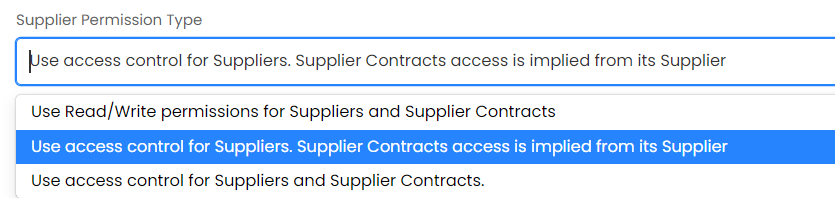
Fig 1. Supplier Permission Type Selection
This will mean that the access control button is used for giving agents the permission to edit suppliers or use them on tickets, the access control button will become visible after you change the config setting.
Setting Access Control on Suppliers
Note: You will need to add the team to the access control for the agents of the team to be able to see the suppliers. The access control button will be visible at the top of each supplier, when you click into the supplier. If agents are currently using suppliers, then maybe make them aware of this configuration change before doing it, as they will temporarily have no access to suppliers whilst you are configuring the teams correctly.
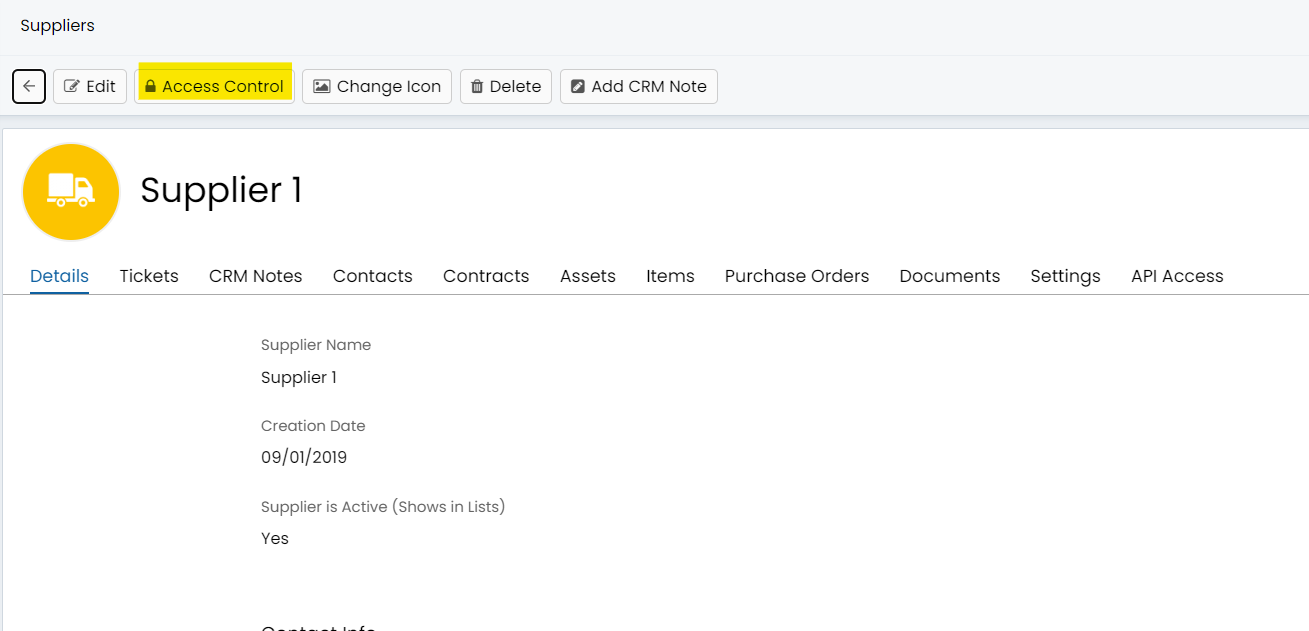
Fig 2. Access Control Being Visible Per Supplier
You can then set the access control for the team, agent, etc.
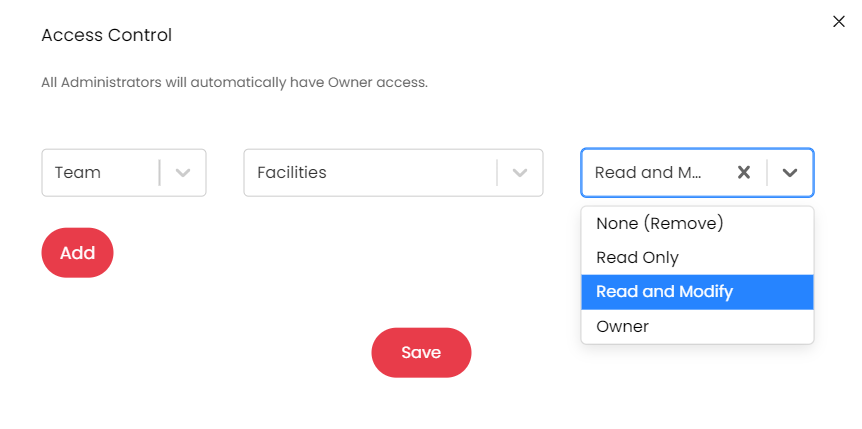
Fig 3. Access Control Screen