Datto Commerce Integration
- quotation
- integration
- quotes
- Integrations
- quote
- Datto Commerce
- Datto
- Commerce
In this guide we will cover:
- What is the Datto Commerce Integration?
- Connecting to Datto Commerce
- Customer Imports
- Quote Imports
- Sales Order Imports
- Halo Integrator
What is the Datto Commerce Integration?
Datto Commerce can be integrated with Halo to import and view Customers, Quotations and Sales Orders from Datto into Halo. The Halo Integrator can be used to have these entities imported from Datto into Halo automatically on a scheduled basis.
Note: The integration with Datto Commerce is one way. Any changes made in Halo will not be reflected in Datto Commerce as their API is read-only.
Connecting to Datto Commerce
In Configuration > Integrations > Quotation Management, hover over the Datto Commerce module, and click the "+" sign to enable it.
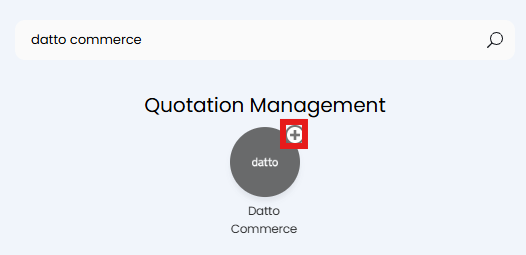
Fig 1. Enabling the module
Clicking into the module will show a button to view/create Tenants. Click this.
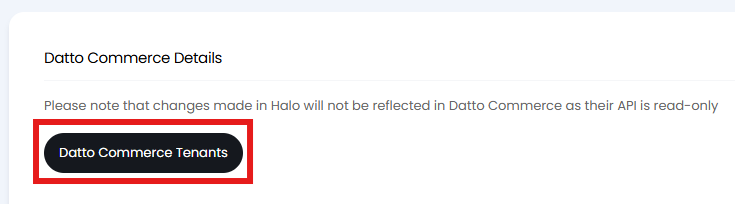
Fig 2. Tenants button
This will bring up a list of any existing Datto Commerce Tenants with their URL. Click the "New" button to add a Tenant.

Fig 3. List of Datto Commerce Tenants
Here you enter the URL and an API Token to connect to your Tenant. This Token can be generated from Datto Commerce in API > New API Key.
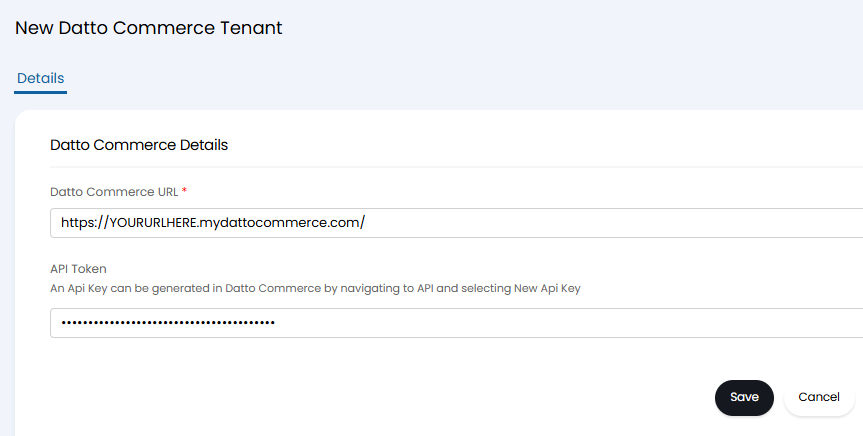
Fig 4. Connecting to Datto Commerc
Clicking the "Save" button will now show the option to configure the imports.
Customer Imports
Open the "Customer Imports" dropdown. Here a few options will show:
- Field Mappings: This table can be used to map Custom Fields of type "Customer" to Datto Fields.
- Minimum Start Date: This can be set to another date to allow the manual import to go further back than the default date set. This defaults to 30 days ago.
- Import Customers: This button will bring up the import screen.
Click "Add" on the Field Mappings table.
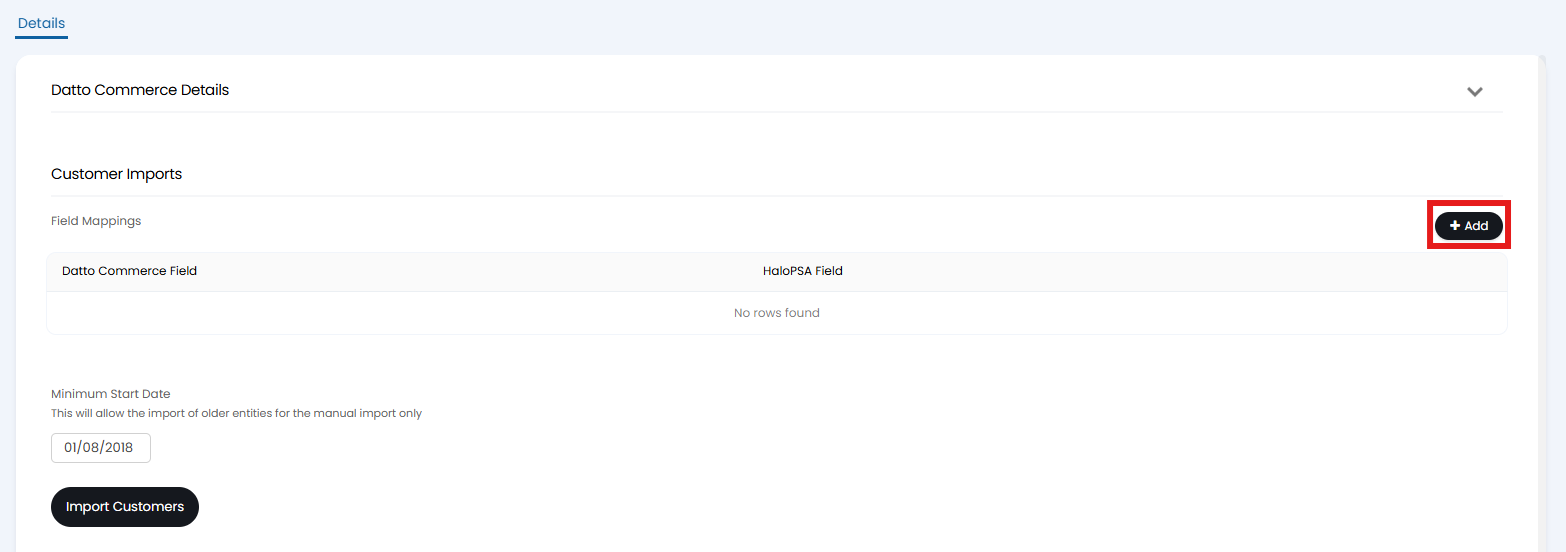
Fig 5. Customer Imports dropdown.
A popup will show to map a Datto Commerce Field to a Halo Field. The Halo Field must be a Custom Field with the "Customer" entity.
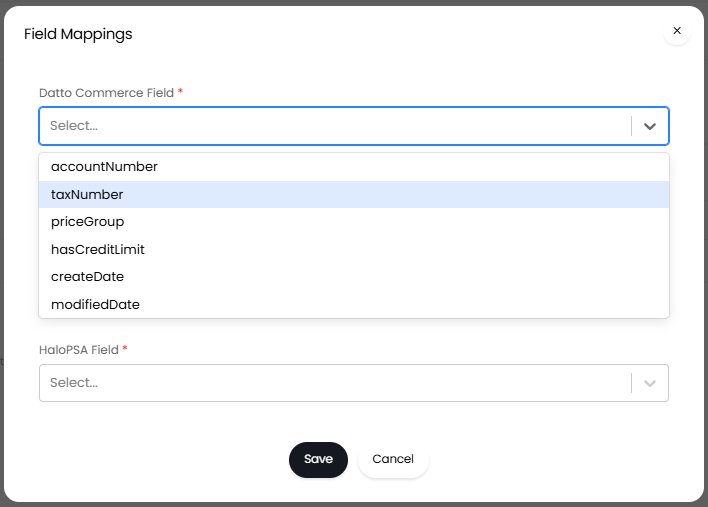
Fig 6. Customer Field Mappings popup
Once mapped, you can import your customers with the "Import Customers" button.
Quote Imports
The next dropdown is for "Quote Imports".
- Product Group Mappings: This table can be used to map Product Groups to Datto Product Categories.
- Default Product Group: This sets the Product Group to use for unmapped categories.
- Import items from Datto Commerce when creating Quotes: If enabled, Products will be created from imported Quotations if they do not yet exist in Halo. When importing Products into Halo, we import name, price (recurring price is product is marked as recurring in Datto Commerce), billing period (if recurring), date created/last modified, is consignable (marked as 'true' in halo when the product is serialised in Datto), group, tax and SKU.
- Set line cost from Datto Commerce when creating Quotes: If enabled, Quotation Lines will have the cost set from Datto Commerce when imported.
- Status Mappings: This table can be used to map Ticket Statuses to Datto Commerce Statuses.
- Minimum Start Date: This can be set to another date to allow the manual import to go further back than the default date set. This defaults to 30 days ago.
- Import Quotes modified in the last X days: This allows you to set the number of days to include in the import since the quote was last modified. This defaults to 30 days.
- Import Quotations: This button will bring up the import screen.
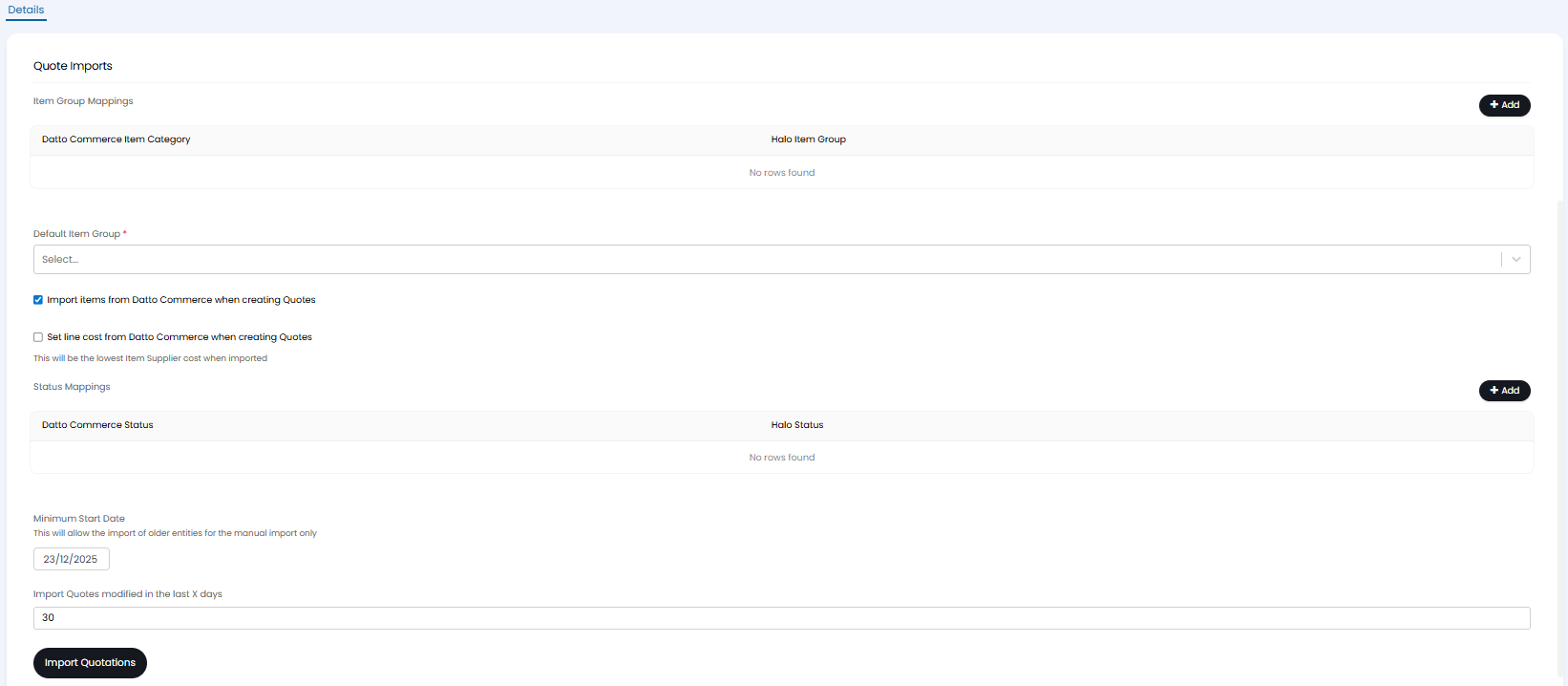
Fig 7. Quote Imports dropdown
Quotation Statuses will be matched by name automatically when importing. If a Quotation Status of that name does not already exist in Halo, one will be created.
The "Status Mappings" table uses Ticket Statuses. If a Ticket is linked to the Quotation, any change in the Datto Commerce Status will change the Status of the linked Ticket to the mapping set here.
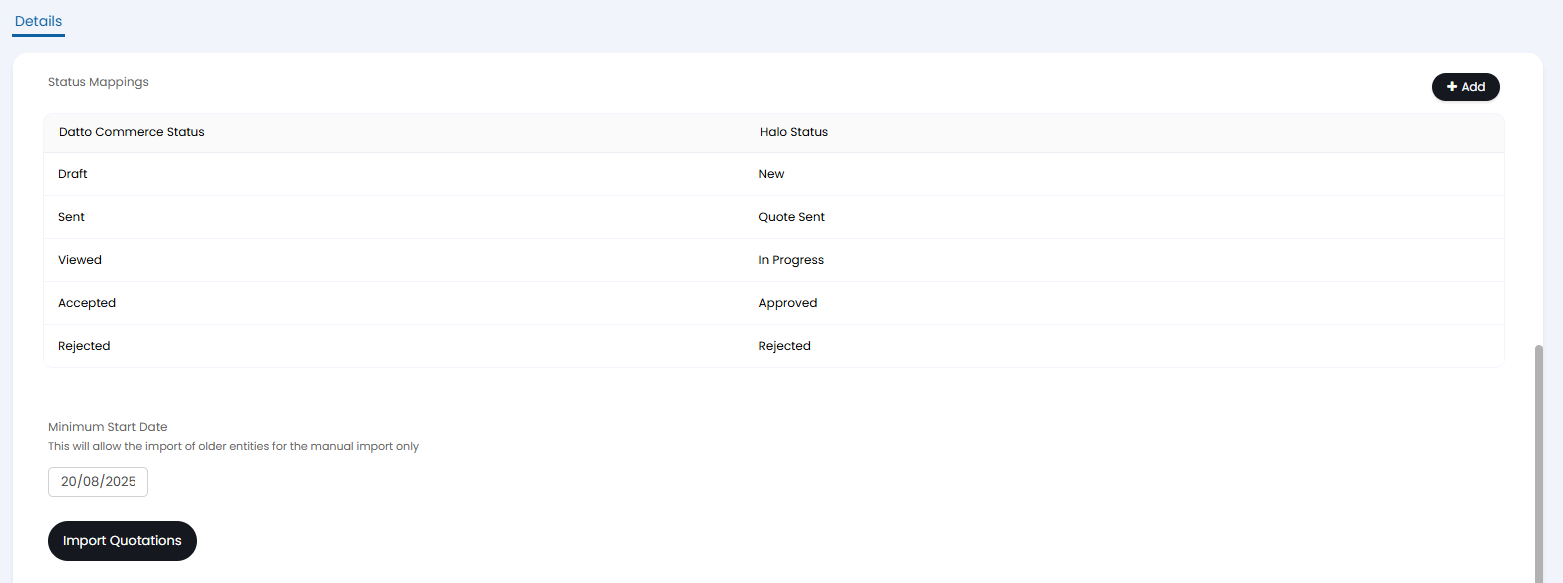
Fig 8. Status Mappings
The quotation shown in Figure 9 was pulled in with the above configuration. It has been linked to one of the Customers we previously imported.
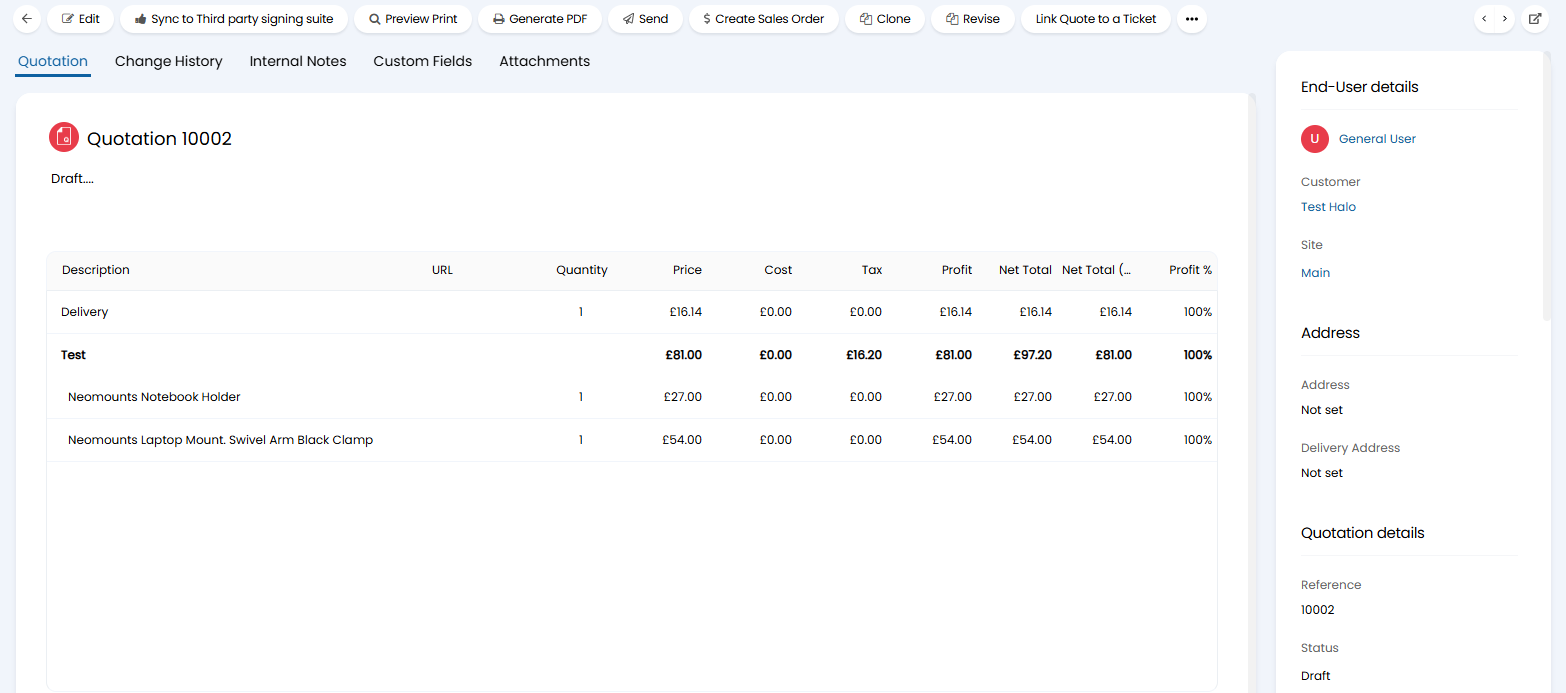
Fig 9. Imported Quotation
Note: Only quotation prices will be present on quotes imported from Datto, no cost will be imported due to how cost is exposed via Datto's API.
Any quotes imported from Datto Commerce will have no option to edit the quote as the API for Datto Commerce is read-only so we can only retrieve data from there but not post updates to it. However, there are two options available instead, linking quotes directly to tickets in Halo and viewing quotes in Datto Commerce. Also please note that you will be able to do all standard Halo actions on a quote except for specifically editing and deleting (e.g. create sales order, send) and please note that any changes to the quote made using these actions (e.g. sending, updating status) will not be reflected in Datto Commerce.
Once the Datto Commerce integration module is enabled a new button will show in the quotations list under the three dots where you can open the new quote screen for Datto Commerce.

Fig 10. Raise Quote in Datto Commerce from Halo
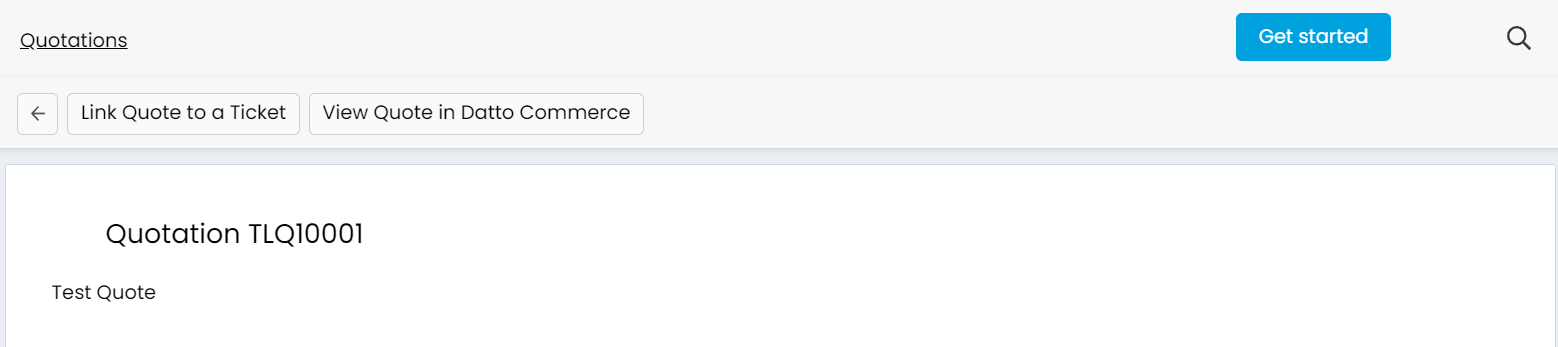
Fig 11. View Quote in Datto Commerce button
Sales Order Imports
The next dropdown is "Sales Orders Imports".
- Sales Order Statuses to Import: Only Sales Orders with the Datto Commerce Statuses set here will be imported.
- Minimum Start Date: This can be set to another date to allow the manual import to go further back than the default date set. This defaults to 30 days ago.
- Import Sales Orders: This button will bring up the import screen.
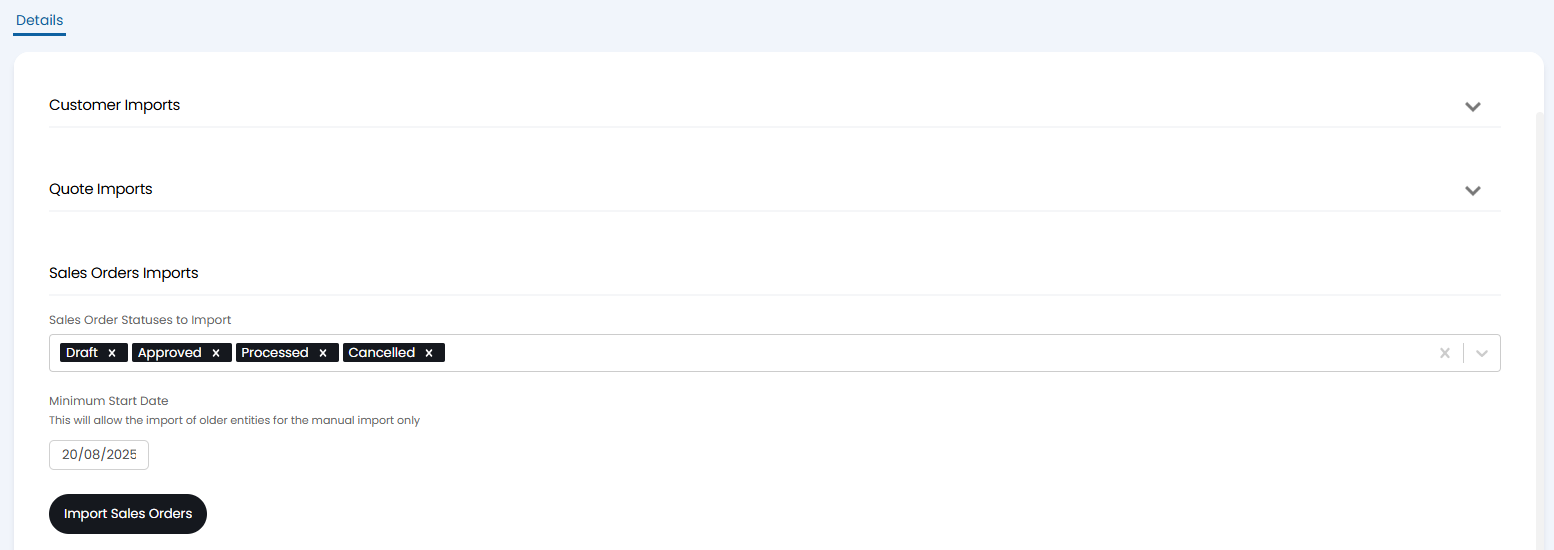
Fig 12. Sales Orders Imports
The Sales Order below has been imported, and has additionally been linked to the associated imported Quotation.
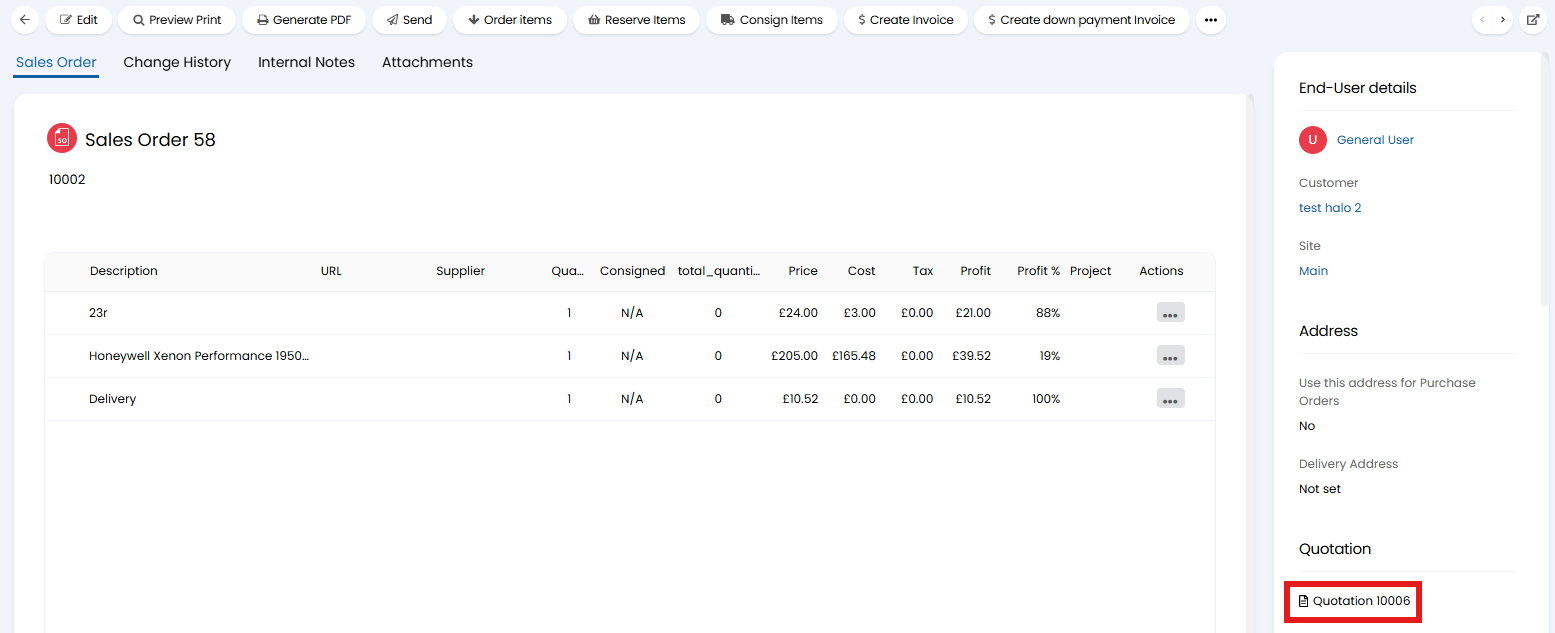
Fig 13. Imported Sales Order
Halo Integrator
The final dropdown is for the "Halo Integrator". Customers, Quotes and/or Sales Orders can be imported automatically on a recurring basis. Ensuring when these entities are created or updated in Datto, these changes will be reflected in Halo.
- Enable the Halo Integrator for this Datto Commerce URL: Enables the Integrator.
- Entities to Sync: Selects which entities will sync automatically.
Due to the "Minimum Start Date" Fields only applying for manual imports, the integrator will by default only import the last 30 days of modified Customers/Quotations/Sales Orders.
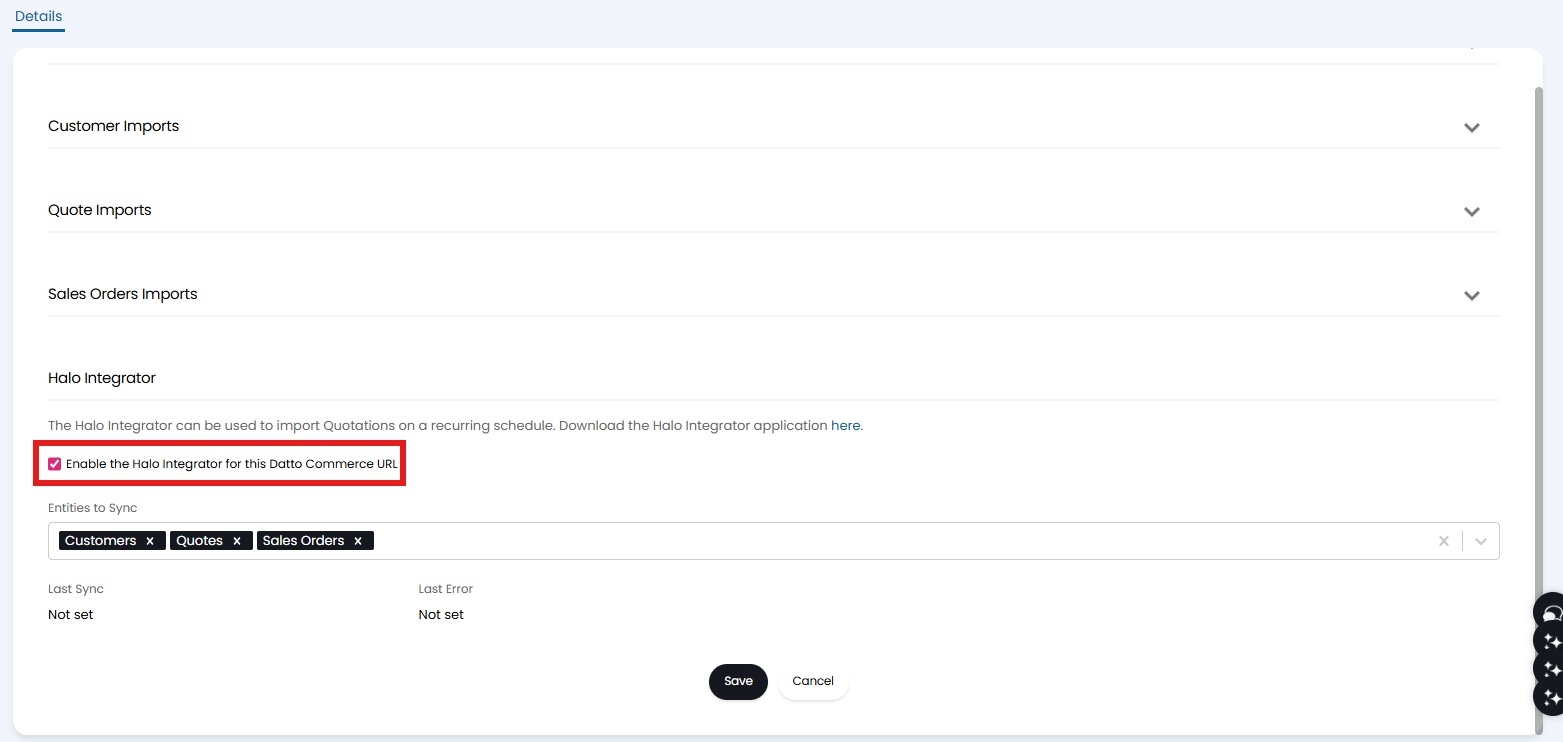
Fig 14. Halo Integrator dropdown