Provisioning Agent Licences
In this guide we will cover:
Useful Links:
- Pricing information
- Request additional from our portal (or reach out to your account manager)
Concurrent vs Named Licences
Halo offers two licence types, named and concurrent.
A single concurrent licence can be shared by multiple different agents but only one agents can be logged into Halo, using this licence, at any one time. This can be a more cost effective way of provisioning licences for teams that work in shifts, or operate in different time zones.
A single named licence can only be used by a single agent. Only the specified agent can log into Halo using this licence. This can be a more cost effective way of provisioning licences if team members are each online at the same time.
A combination of named and concurrent licences can be purchased to best suit your business needs.
Setting which Licence Type Agents use
Once you have purchased your Halo licences, you will need to set which agents use which licence type.
Note: Only Halo administrators can set which licence type agents use.
This is set against each agent profile, head to Configuration > Teams and Agents > Agents > select an agent > use the "Licence Type" field to set their licence.
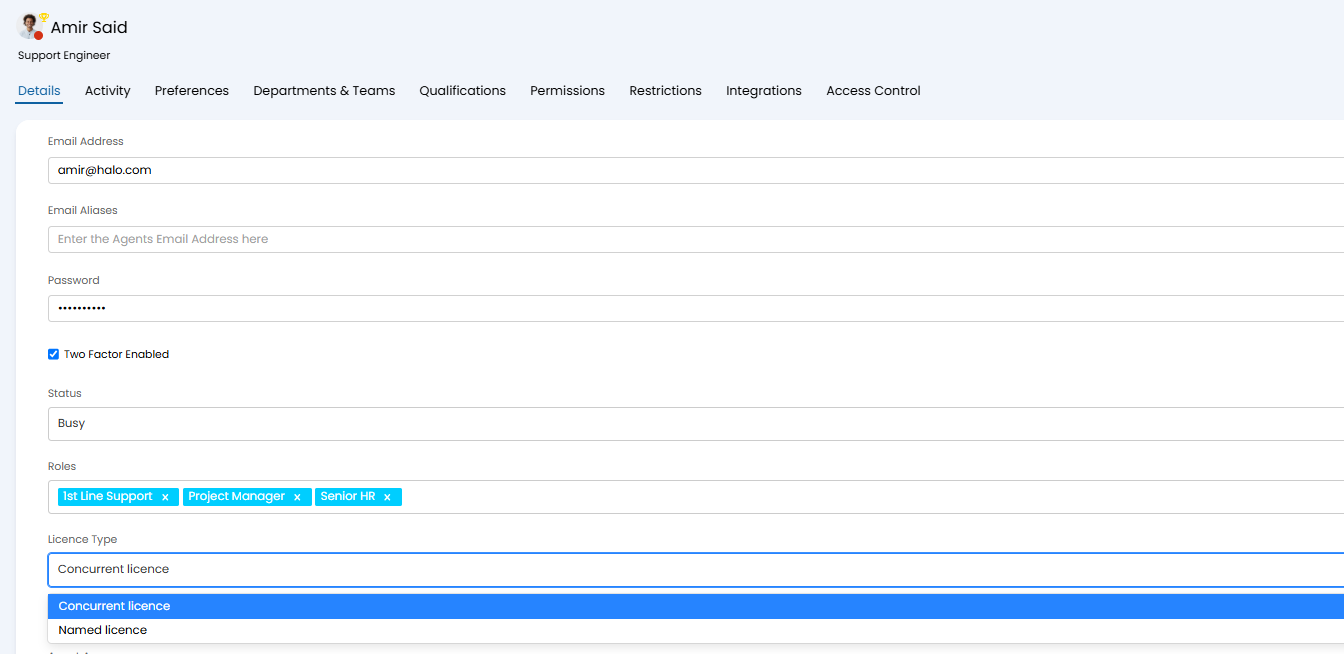
Fig 1. Set Agent Licence Type
Note: The Licence Type field is only available in deployed instances, it is not available in trials.
Set Licence Type in Bulk
To set the licence type for multiple agents at a time select each agent then hover over the "Edit" button and select the option to "Update Licence Type".

Fig 2. Update Licence Type in Bulk
You will then be prompted to choose which licence type to give the selected agents.
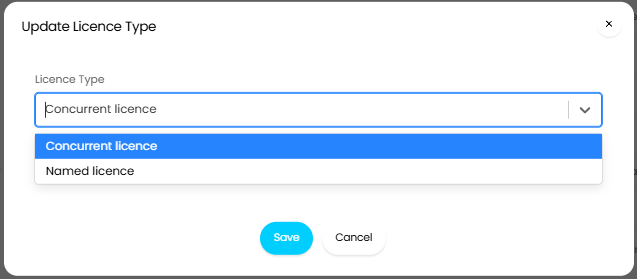
Fig 3. Licence Type selection
If importing agents via an XLS, the column "licence_type" can be used to set the licence type an agent uses, values should be set as follows:
- 1=named
- 0=concurrent
Viewing Licence Usage
The number of licences you have available, and the number that are provisioned can be viewed under Configuration > Teams and Agents > Agents.

Fig 4. Licences provisioned
You may also utilise the reporting suite to monitor licence usage in more detail, such as identifying the maximum number of agents you have logged in at one time. If you would like a report creating reach out to your account manager or Halo consultant.